

Working from home can feel comfortable and convenient, but it can also become distracting when your workspace is not properly organized. A desk covered with papers, tangled cables, unnecessary objects, and unfinished tasks can quietly reduce your focus. On the other hand, a clean and thoughtfully arranged home office can help you feel calmer, work faster, and stay focused for longer periods.
When I think about home office organization, I do not see it as simply cleaning a desk or arranging a few folders. A productive workspace should make everyday tasks easier. Everything you use regularly should have a logical place, while unnecessary items should not occupy valuable space.
You do not need a large room or expensive furniture to create an efficient office. Even a small corner of your bedroom or living area can become a comfortable working space with a little planning. The key is to organize the area according to how you actually work.
Start by Removing Unnecessary Clutter
The first step in organizing a home office is clearing everything that does not support your work.
Look carefully at your desk, shelves, drawers, and surrounding area. You may find old papers, empty packaging, broken stationery, outdated notes, unnecessary cables, and items that belong somewhere else in the house.
Remove these objects before you start rearranging anything.
Clutter affects more than appearance. When too many items are visible, your attention is constantly being pulled in different directions. Even if you do not consciously notice every object, your brain still processes what is around you.
Keep only the things you actually need.
Once unnecessary items are removed, you will have a clearer picture of the space available and how it can be used effectively.
Choose the Right Location for Your Home Office
If possible, choose a location where you can work without constant interruptions.
A separate room is ideal, but it is not essential. A quiet corner can work just as well when it is properly arranged.
Try to avoid placing your workspace directly beside areas where people regularly watch television, prepare food, or gather for conversation. Constant movement can make concentration difficult.
Natural light is also worth considering. A workspace close to a window often feels more comfortable during the day.
However, place your computer carefully so sunlight does not create glare on the screen.
The best location is one where you can sit comfortably, access your work materials easily, and concentrate without unnecessary distractions.
Arrange Your Desk Around Daily Tasks
Your desk should support your working habits rather than become a storage area.
Think about the items you use every day. Your computer, notebook, pen, phone, and other essential tools should be within easy reach.
Items that are used occasionally can be stored in drawers or on nearby shelves.
Try to keep the central area of your desk open. Having some empty surface gives you room to write, review documents, or complete other tasks without moving objects around constantly.
Avoid covering every corner with decorations.
A few personal items can make the office feel welcoming, but too many objects may create visual clutter.
The goal is not to create an empty desk. It is to create a practical one.
Create a Simple Storage System
One reason home offices become messy is the absence of a clear storage system.
Every important item should have a designated place.
Use drawers for small office supplies such as pens, clips, chargers, and sticky notes. Shelves can hold books, files, and reference materials. Storage boxes are useful for items you need to keep but do not use frequently.
Labels can also be helpful, especially when you have several folders or boxes.
The simpler the system, the more likely you are to maintain it.
Avoid creating complicated storage methods that require several steps just to put something away. If storing an item feels inconvenient, you will probably leave it on your desk.
Good home office organization should save time rather than create additional work.
Organize Paperwork Before It Builds Up
Paper can quickly take over a workspace.
Bills, receipts, notes, documents, letters, and printed information often accumulate because we plan to deal with them later.
Create clear categories for paperwork.
You might have separate folders for documents that require action, documents that need to be filed, important records, and papers that can eventually be discarded.
Review these folders regularly.
Avoid keeping papers simply because you are unsure whether they might be useful someday. Important documents should be stored securely, while unnecessary paperwork should be removed.
Whenever possible, consider storing information digitally.
Reducing the amount of paper in your home office makes the entire space easier to manage.
Manage Cables and Electronic Accessories
Modern home offices usually contain several electronic devices, which means cables can quickly become a problem.
Computer chargers, phone cables, extension cords, headphones, and other accessories can make even a clean desk look untidy.
Start by identifying cables you no longer need.
Then group the remaining ones together using cable organizers, clips, or reusable ties.
Try to route cables behind the desk instead of allowing them to spread across the floor or work surface.
Keep chargers that you use regularly in an accessible location.
Extra chargers and accessories can be stored in a labeled drawer or container.
Organized cables improve the appearance of your workspace and make cleaning easier.
Make Your Chair and Desk Comfortable
Organization is not only about storage. Comfort also influences productivity.
If your chair is uncomfortable or your computer is positioned poorly, it becomes harder to concentrate on work.
Adjust your chair so your feet can rest comfortably and your body feels properly supported.
Your computer screen should be positioned where you can view it without constantly bending your neck.
The keyboard and mouse should also be easy to reach.
You may need to experiment with different positions until the setup feels natural.
A comfortable workspace reduces physical distractions and allows you to focus more effectively on the task in front of you.
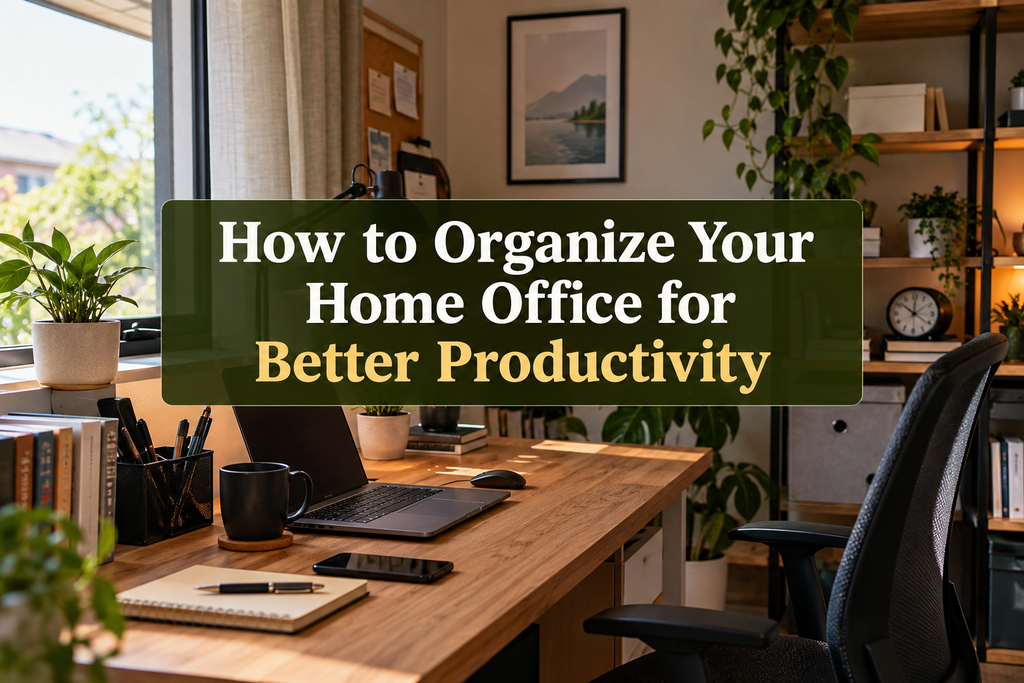
Use Vertical Space Wisely
Small home offices often have limited floor space, but walls provide additional storage opportunities.
Shelves can be installed above or beside the desk to hold books, folders, storage containers, or a few decorative items.
A notice board can also be useful for keeping important reminders visible.
However, avoid filling every available section of wall space.
Too many shelves, notes, pictures, and accessories can make a small office feel crowded.
Use vertical storage for things that genuinely improve your workflow.
A few well positioned shelves are often more effective than a large amount of unnecessary storage furniture.
Keep Digital Files Organized Too
An organized office should include your computer.
A clean desk loses some of its benefits when your computer desktop is filled with hundreds of random files.
Create folders for different areas of your work.
Give files clear names so you can identify them later without opening several documents.
Delete duplicate files and information you no longer need.
It is also useful to organize downloads regularly because this folder can quickly become crowded.
Important files should be backed up using a reliable storage method.
Digital organization can save a surprising amount of time because you spend less time searching for information.
Create Different Areas for Different Activities
If your office has enough space, divide it according to the tasks you perform.
Your desk may be the main area for computer work. A nearby shelf can become your reference section. A separate drawer can contain administrative paperwork and office supplies.
Even within a small workspace, creating simple zones can make daily tasks more efficient.
The idea is to avoid storing unrelated items together.
When everything has a purpose and location, you can move from one task to another without creating unnecessary mess.
Control Visual Distractions
Your home office should feel pleasant without becoming distracting.
Decorations, artwork, plants, family photographs, and personal objects can make the room feel more comfortable. The problem begins when the workspace contains so many visual elements that they compete for your attention.
Choose a few items that you genuinely enjoy.
Indoor plants are particularly useful because they can add natural beauty without requiring much space.
Keep decorations away from the main working area when possible.
Your eyes should naturally be drawn toward your work rather than dozens of objects surrounding your computer.
Improve the Lighting
Good lighting can completely change how comfortable a home office feels.
Natural daylight is useful during working hours, but you may also need artificial lighting.
A desk lamp can provide focused light for reading, writing, or detailed tasks.
Avoid working in a room that is extremely dark except for the computer screen. The contrast can become uncomfortable over time.
At the same time, very bright lighting can create glare.
Experiment with the position of lamps until your workspace feels evenly illuminated.
Comfortable lighting helps create a calmer working environment and may make long periods of concentration easier.
Keep Frequently Used Supplies Close
Think about how often you interrupt your work because you need to search for something.
Maybe you regularly need a notebook, charger, calculator, pen, document, or pair of headphones.
Frequently used supplies should be stored close to your desk.
Less frequently used items can be placed farther away.
This simple approach makes the workspace more efficient because your storage reflects how often different objects are needed.
It also prevents your main desk area from becoming overcrowded.
Create a Daily Reset Routine
Even the most organized office can become messy after a busy day.
Instead of waiting until the room becomes difficult to manage, spend a few minutes resetting the workspace regularly.
Put pens back in their holder. Return documents to the correct folder. Throw away unnecessary notes. Place cups or dishes in the kitchen. Close unused notebooks and clear your main working surface.
This small habit can make a significant difference.
When you return to your desk the next morning, you can begin working immediately rather than cleaning yesterday’s mess.
Separate Work Items From Household Items
One common problem with working from home is that personal and work related objects begin mixing together.
Laundry may appear on the office chair. Household bills may become mixed with work documents. Children’s toys or random personal items may end up on the desk.
Try to maintain a clear boundary.
Your home office should primarily contain things connected to your work.
This physical separation can also create a useful mental boundary between working hours and personal time.
When you enter the workspace, your surroundings signal that it is time to focus.
Keep a Notebook for Quick Thoughts
During work, you may suddenly remember unrelated tasks.
Perhaps you need to buy something, make a phone call, repair something in the house, or complete another activity later.
Instead of immediately leaving your desk, write the thought in a notebook.
This allows you to continue working without worrying that you will forget it.
At the end of the day, review the notes and deal with them when appropriate.
A simple notebook can reduce mental clutter just as storage systems reduce physical clutter.
Avoid Buying Too Many Office Organizers
It is easy to believe that organizing a home office requires buying many containers, shelves, trays, and accessories.
In reality, adding too many organizers can create another form of clutter.
First understand what actually needs to be stored.
Then choose storage solutions that solve specific problems.
You may discover that you already have suitable containers somewhere in your home.
Good organization is about reducing unnecessary items and creating logical systems. It is not about filling the room with storage products.
Review Your Workspace Regularly
Your working habits may change over time.
The office setup that worked six months ago may no longer be the most practical arrangement.
Review your workspace occasionally.
Ask yourself which items you regularly use, which areas always become cluttered, and which parts of the office feel inconvenient.
If papers constantly gather in one place, create a storage solution there.
If you never use a particular shelf or drawer, reconsider what you store inside it.
Small adjustments can gradually make your workspace more efficient.
Protect Your Focus While Working
Physical organization works best when it is combined with good working habits.
Keep only the programs and browser tabs you need for your current task open.
Silence unnecessary notifications when you need deep concentration.
Place your phone away from the center of your desk if it regularly distracts you.
You can also create a simple task list at the beginning of the day.
Knowing what needs to be completed helps prevent you from jumping between unrelated activities.
A productive home office is not just an attractive room. It is an environment designed to support focused work.
Make the Space Feel Like Your Own
Your workspace should still feel comfortable and personal.
You may want to include a favorite photograph, a small plant, an inspiring book, or a piece of artwork.
These small details can make the office more enjoyable without creating clutter.
Choose items carefully rather than decorating every available surface.
A space that feels calm, organized, and personal is usually easier to work in than an office that feels cold or chaotic.
Final Thoughts
Learning how to organize your home office for better productivity is mainly about creating a space that supports your everyday working habits. You do not need expensive furniture or a large dedicated room. What matters most is reducing clutter, storing items logically, improving comfort, and removing unnecessary distractions.
Start with the area that causes the most frustration. Clear your desk, organize paperwork, manage cables, or rearrange your storage. You do not have to transform the entire office at once.
Once every item has a useful place, maintaining the room becomes much easier.
A well organized home office can help you begin your day with a clearer mind and spend less time searching for documents or moving clutter around. More importantly, it creates an environment where focusing on meaningful work feels natural.
The best home office organization system is not the one that looks perfect in a photograph. It is the one that quietly makes your working day simpler, more comfortable, and more productive.


